
If your website is not ranking despite having good content, the issue is often related to poor structure or technical limitations. Search engines evaluate not only what you publish, but also how your website is built, how fast it loads, how easily it can be crawled, and how users interact with it.
This guide explains on-page SEO and technical SEO in a practical way, so you can understand how both contribute to better rankings, stronger visibility, and long-term organic growth.
On-page SEO focuses on optimizing content and page structure within your website, while technical SEO focuses on performance, crawlability, indexing, and overall site health.
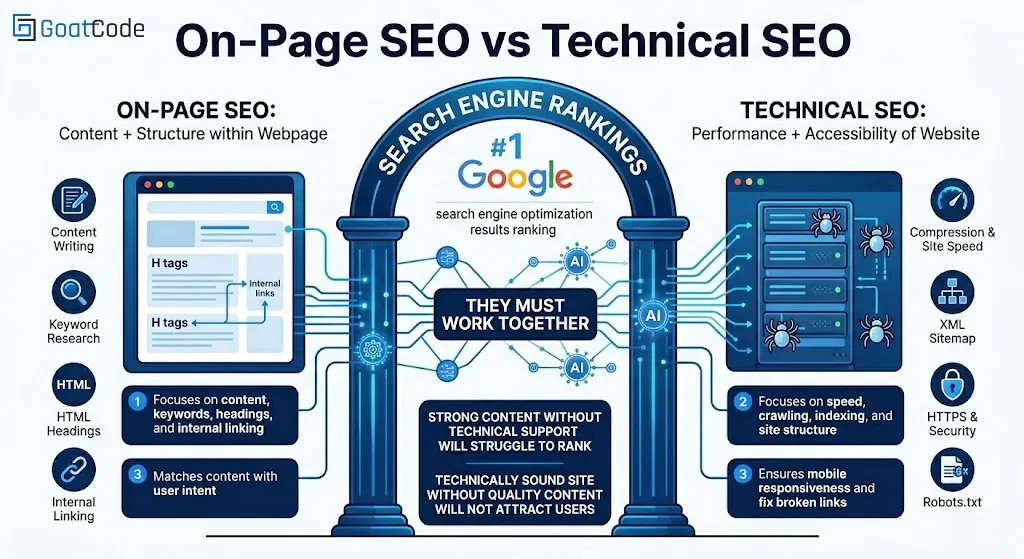
Table of Contents
- On-Page vs Technical SEO Differences
- What is On-Page SEO?
- On-Page SEO Checklist
- Essential On-Page SEO Elements
- What is Technical SEO?
- Technical SEO Checklist
- Key Technical SEO Elements
- Which Matters More?
- Common SEO Mistakes
- SEO Tools
- Pro Tips
- Conclusion
- FAQs
On-Page SEO vs Technical SEO: Key Differences
Both on-page SEO and technical SEO are essential, but they solve different problems. One helps search engines understand your content, while the other ensures search engines can properly access and evaluate your website.
| Factor | On-Page SEO | Technical SEO |
|---|---|---|
| Main Focus |
Content, keywords, headings, and internal linking | Speed, crawlability, indexing, and site structure |
| Primary Goal | Improve relevance and content quality | Improve accessibility and search engine understanding |
| Examples | Title tags, meta descriptions, headings, content optimization | XML sitemap, robots.txt, canonical tags, Core Web Vitals |
| User Impact | Better readability and engagement | Better speed, usability, and performance |
For a website to perform well, both must work together. Strong content without technical support will struggle to rank, and a technically sound site without quality content will not attract or retain users.
What is On-Page SEO?
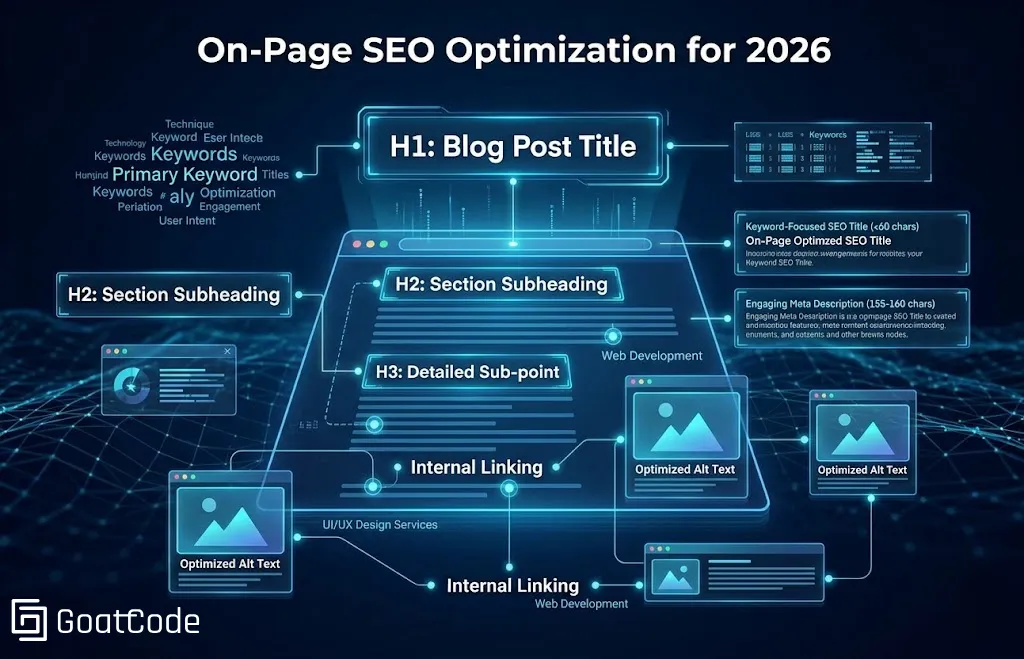
On-page SEO refers to optimizing elements within your website to improve search engine rankings and user experience. It helps search engines understand your content, match pages to user intent, and improve how visitors interact with your site.
- Helps search engines understand your content
- Matches content with user intent
- Improves engagement and usability
Tip: Focus on one primary topic per page and support it naturally with related keywords and relevant subtopics.
On-Page SEO Checklist
- Write keyword-focused and clear page titles
- Use proper heading hierarchy (H1, H2, H3)
- Add relevant internal links
- Optimize images and alt text
- Improve readability and content structure
- Match content to search intent
Essential On-Page SEO Elements
1. Heading Tags (H1, H2, H3)
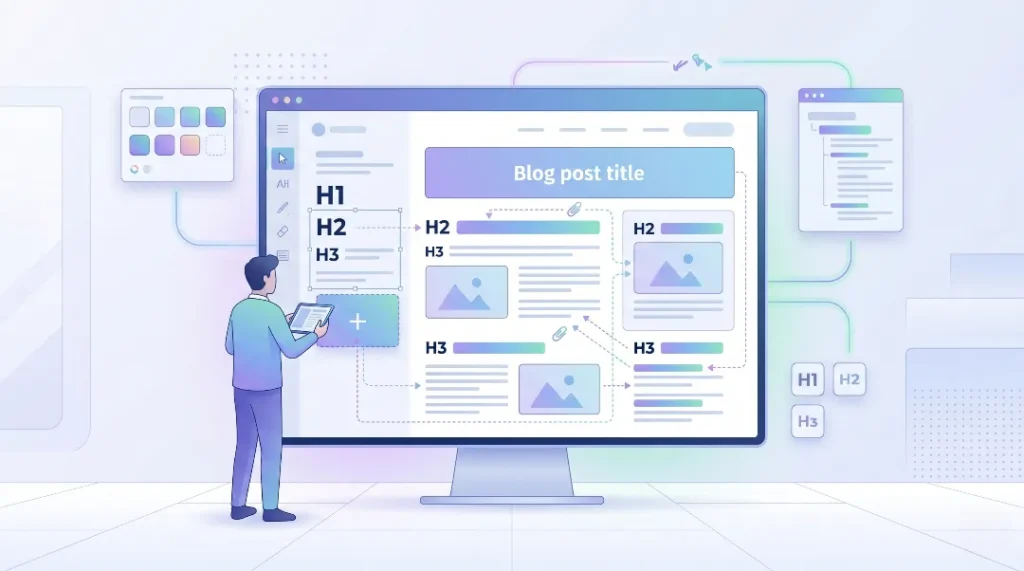
Heading tags structure your content and help both users and search engines understand your page more clearly.
- Use only one H1 tag
- Use H2 and H3 for logical sections
- Include your primary keyword naturally in the H1
2. Title Tag (SEO Title)
The title tag appears in search results and has a direct impact on click-through rate.
- Keep it under 60 characters when possible
- Include the primary keyword
- Make it clear, useful, and relevant
3. Meta Description
A meta description provides a short summary of your page in search results and can improve clicks.
- Keep it around 155 to 160 characters
- Add keywords naturally
- Focus on user benefit and clarity
4. Internal Linking
Internal links connect pages within your website, improve navigation, and help distribute authority across important pages.
- Link to relevant service and blog pages
- Use clear anchor text
- Avoid excessive or forced linking
Example: UI/UX Design Services, Web Development, or your relevant SEO-related service page.
5. External Links
Linking to trusted and relevant sources can improve credibility when you reference research, tools, or industry standards.
- Use authoritative sources
- Support important claims
- Avoid low-quality or irrelevant links
6. URL Structure
Your URL should clearly describe the page content and remain short and readable.
- Use short, clean URLs
- Add keywords naturally
- Use hyphens instead of underscores
Example:
- Bad: yoursite.com/page123?id=45
- Good: yoursite.com/on-page-seo-guide
What is Technical SEO?
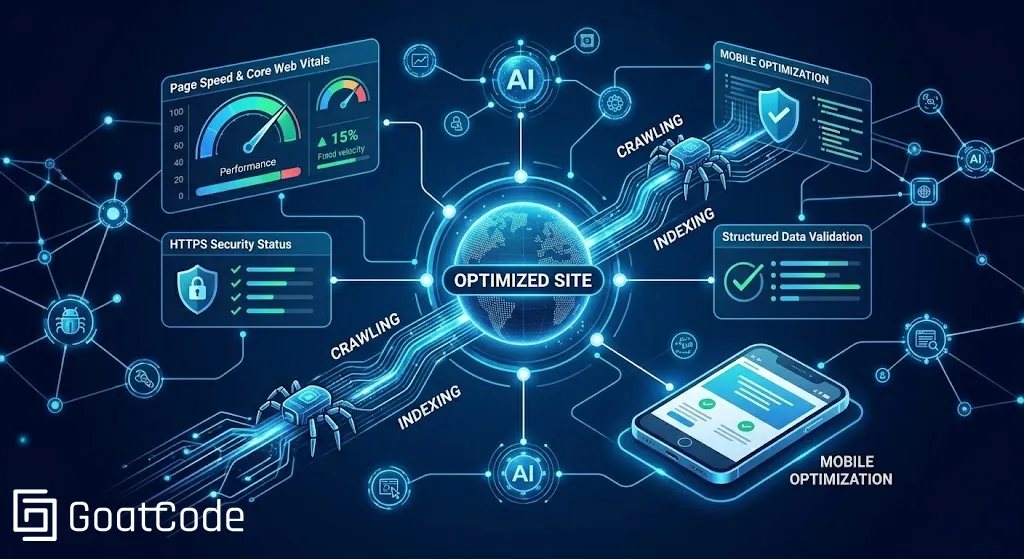
Technical SEO ensures your website is crawlable, indexable, secure, and fast. Without it, even well-written content may struggle to perform in search results because search engines may not properly access, process, or trust your pages.
Technical SEO Checklist
- Ensure pages are indexed properly
- Fix crawl errors
- Improve Core Web Vitals
- Ensure mobile responsiveness
- Fix broken links and redirect issues
- Maintain clean site architecture
Key Technical SEO Elements
1. Crawling and Indexing
Search engines must crawl and index your website before it can rank. If important pages are blocked, broken, or not discoverable, they may never appear in search results.
Tip: Check indexed pages using site:yourdomain.com.
2. XML Sitemap
An XML sitemap helps search engines understand your site structure and discover important pages more efficiently.
Example: yourdomain.com/sitemap.xml
3. HTTPS and Security
Secure websites help build trust for both users and search engines.
- Protects user data
- Builds credibility
- Supports SEO trust signals
4. Redirects
Redirects help users and search engines reach the correct version of a page.
- 301 = Permanent redirect
- 302 = Temporary redirect
5. Site Speed
Page speed is a ranking factor and strongly affects user experience, bounce rate, and conversions.
- Compress images
- Optimize CSS and JavaScript files
- Reduce unnecessary scripts
- Improve overall load time
6. Mobile Optimization
Because Google uses mobile-first indexing, your website needs to perform well on smaller screens.
- Use responsive design
- Ensure fast loading on mobile
- Avoid intrusive popups and layout shifts
7. Robots.txt
The robots.txt file tells search engines which areas of your website they should or should not crawl.
User-agent: *
Disallow: /private/
8. Canonical Tags
Canonical tags help search engines understand the preferred version of a page and prevent duplicate content issues.
<link rel="canonical" href="https://example.com/page">
Which Matters More: On-Page SEO or Technical SEO?
Neither should be treated as more important in isolation. On-page SEO helps your pages become more relevant and useful, while technical SEO makes sure those pages can actually be discovered, understood, and ranked.
If your website has strong content but poor technical health, rankings may stay weak. If your website is technically sound but lacks valuable content, it will not attract meaningful traffic. The strongest SEO performance happens when both areas are improved together.
Common SEO Mistakes to Avoid
- Ignoring technical issues such as broken links or indexing problems
- Keyword stuffing instead of writing naturally
- Poor internal linking structure
- Slow website speed and oversized media files
- Not optimizing for mobile users
- Publishing content without matching search intent
Tools for SEO Optimization
- Google Search Console
- Google PageSpeed Insights
- Screaming Frog
- Google Analytics
Pro Tips for SEO Success
- Focus on user intent, not just keywords
- Maintain consistent heading and content structure across pages
- Update important pages regularly
- Monitor indexing, speed, and engagement together
- Build content and technical improvements side by side
Conclusion
On-page SEO and technical SEO work together to create a strong foundation for search visibility.
- On-page SEO = Content, relevance, and structure
- Technical SEO = Performance, accessibility, and crawlability
When both are implemented correctly, your website is more likely to rank well, attract qualified traffic, and deliver a better experience for users.
Need Help Improving Your SEO?
We help businesses improve rankings, website performance, and conversions through better on-page and technical SEO strategies.
Frequently Asked Questions (FAQs)
What is the difference between on-page and technical SEO?
On-page SEO focuses on optimizing content and page structure, while technical SEO ensures your website is crawlable, fast, secure, and properly indexed.
How many keywords should I use per page?
Focus on one primary keyword and a few related terms. Write naturally and avoid keyword stuffing.
Why is a meta description important?
A meta description improves click-through rate by giving users a useful preview of your content in search results.
What is an XML sitemap?
An XML sitemap is a file that helps search engines discover and index important pages on your website.
Do internal links help SEO?
Yes, internal links help search engines understand your site structure and improve navigation for users.
Why is website speed important for SEO?
Website speed affects both user experience and search performance. Faster pages reduce bounce rates and improve engagement.
What is a canonical tag?
A canonical tag tells search engines which version of a page should be treated as the main version.
Is mobile optimization necessary for SEO?
Yes, mobile optimization is essential because Google uses mobile-first indexing and users expect fast, responsive experiences.